

For this guide, we’ll use the Quick Mode method as an example, which is the simplest way to create an agent. Quick Mode lets you create a simple AI agent in seconds by just providing a name and brief description.
Step-by-Step Guide
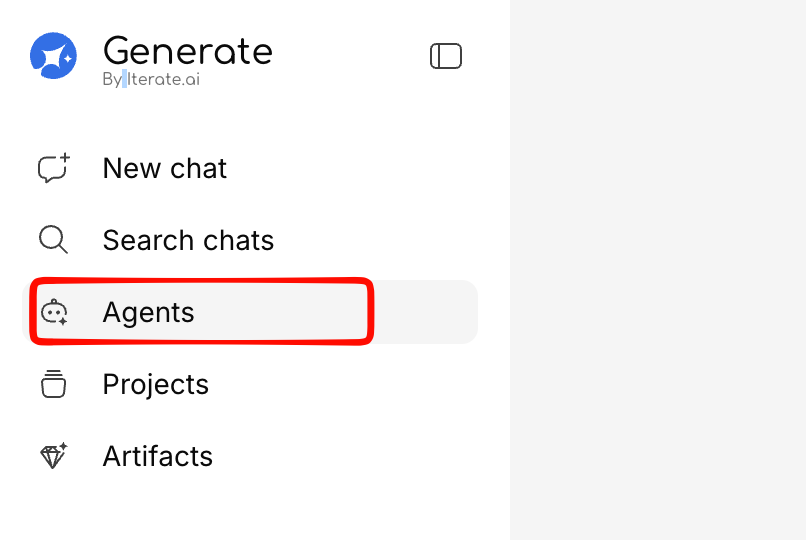
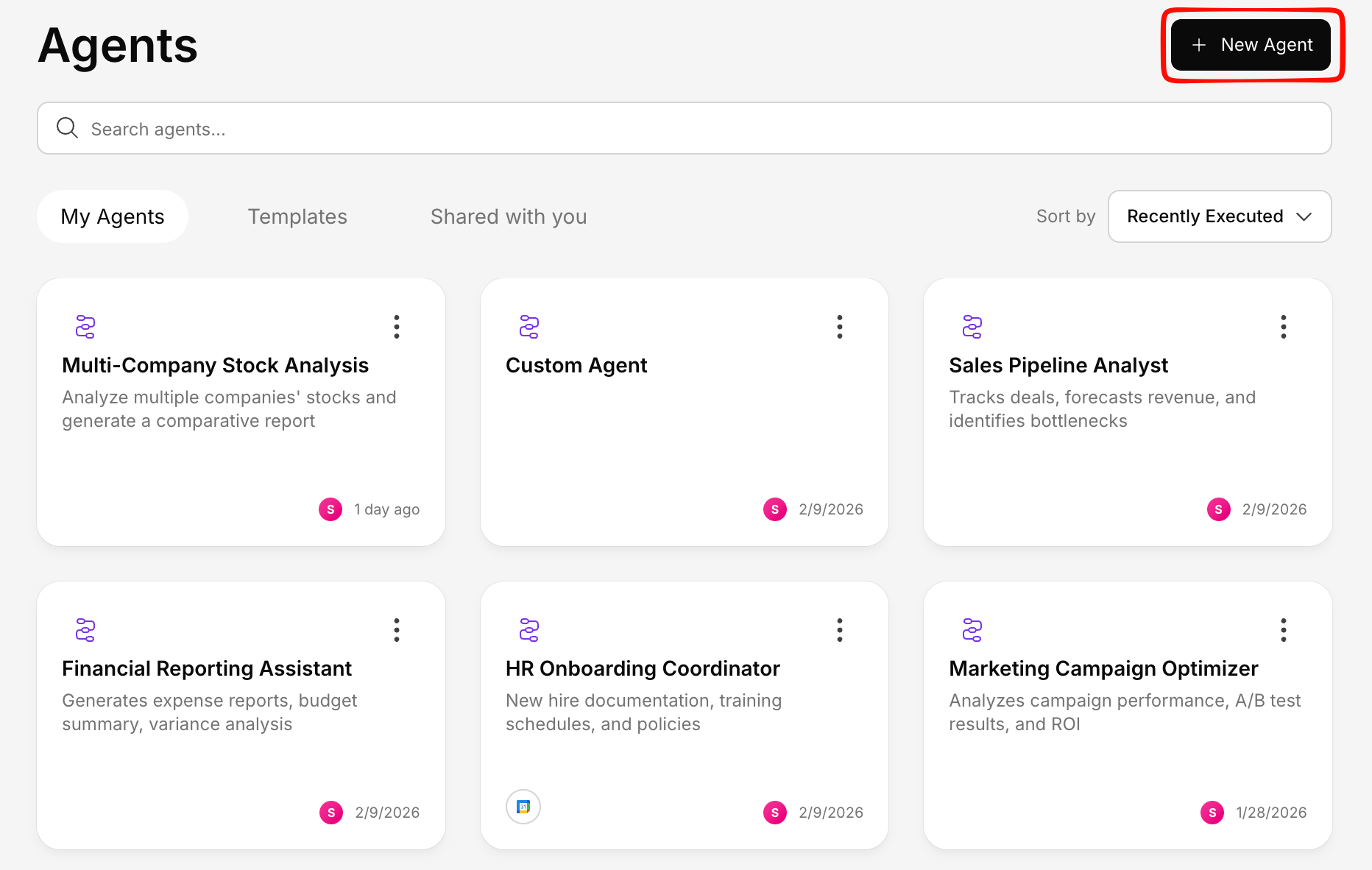
Choose how you'd like to Build your Agent
Three creation methods are available to suit different needs. For this walkthrough, we’ll use the Quick Mode method, which provides the simplest path to getting started with a basic agent configuration.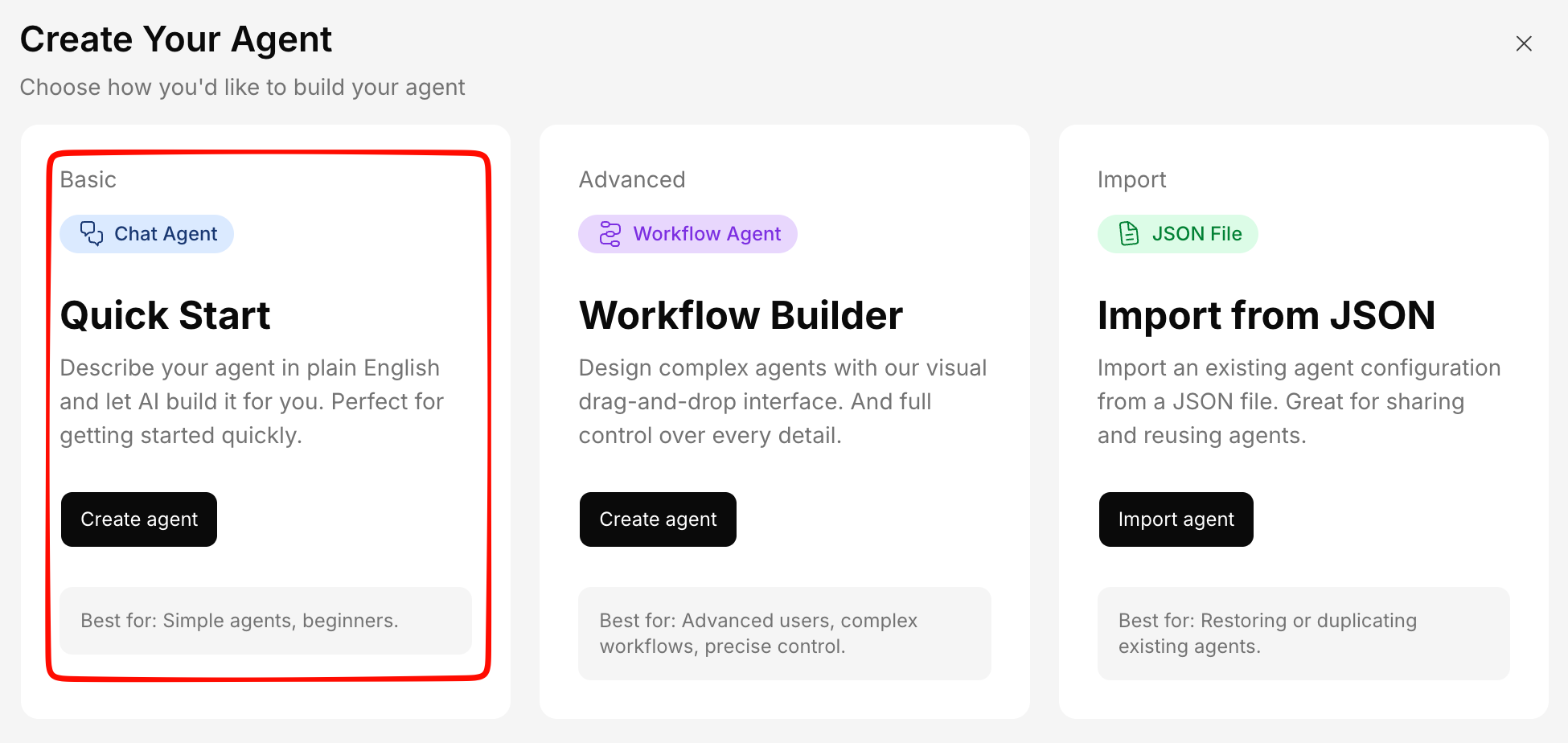
Set the basics
Fill in the agent’s details: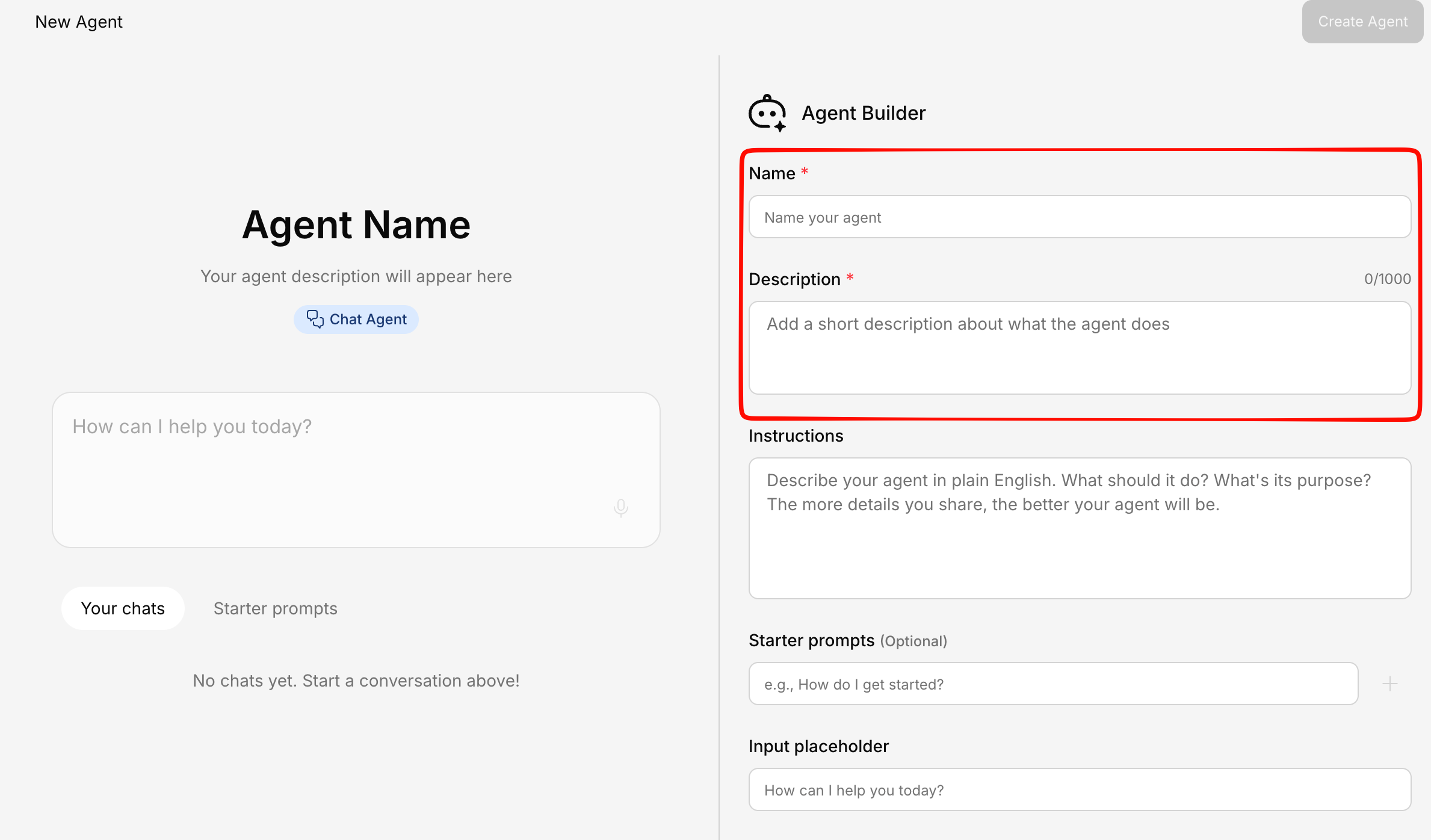
- Name — A clear, descriptive name (e.g., “HR Policy Assistant”)
- Description — What this agent does, so your team knows when to use it
Write instructions
This is the most important part. Instructions tell the agent how to behave, what tone to use, and what it should or shouldn’t do.Example instructions: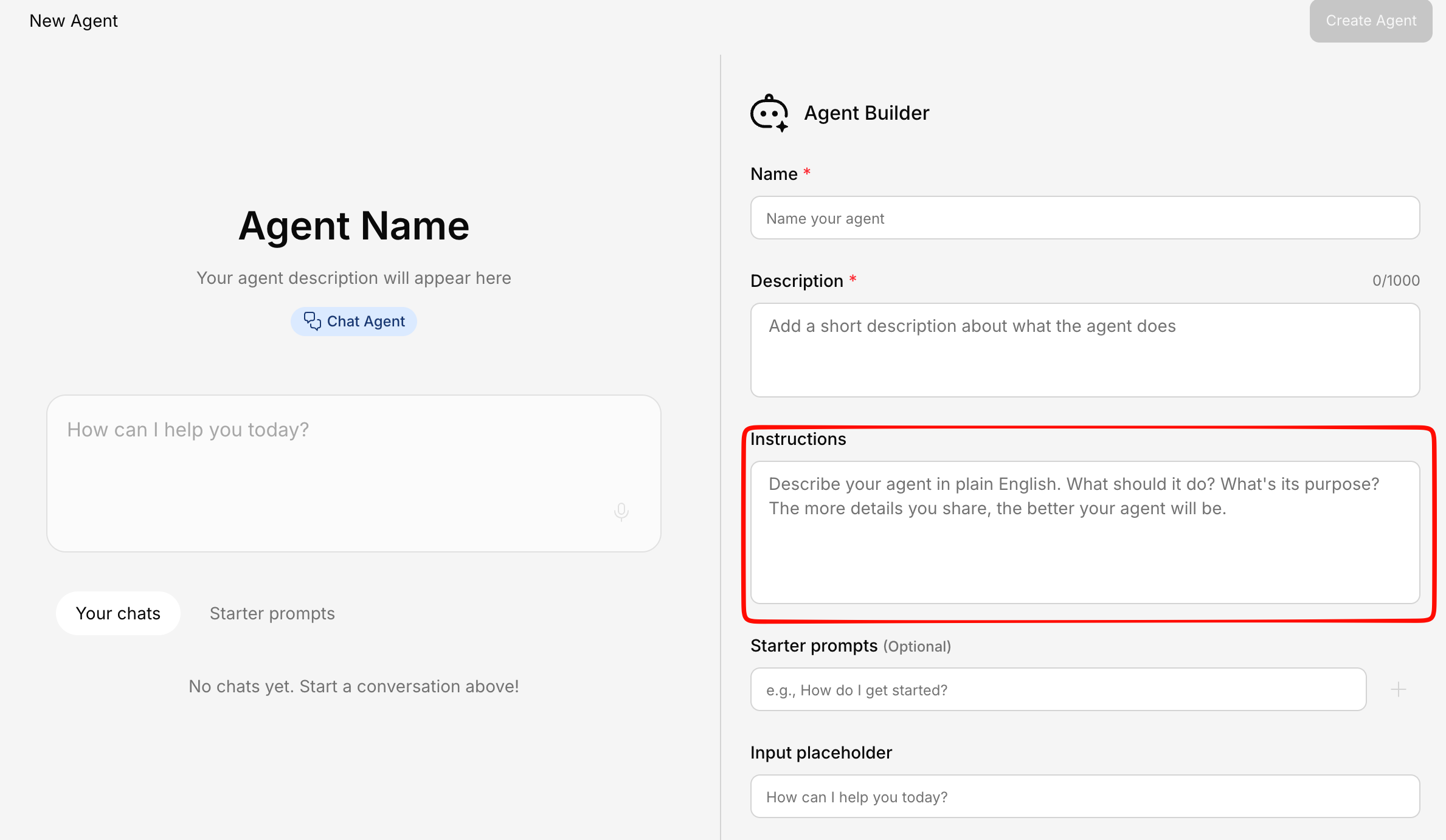
You are an HR assistant for [Company Name]. Answer questions about company policies using only the provided HR documents. Be friendly and concise. If you’re unsure about something, say so and suggest the employee contact HR directly.
Configure tools
Choose which tools the agent can access: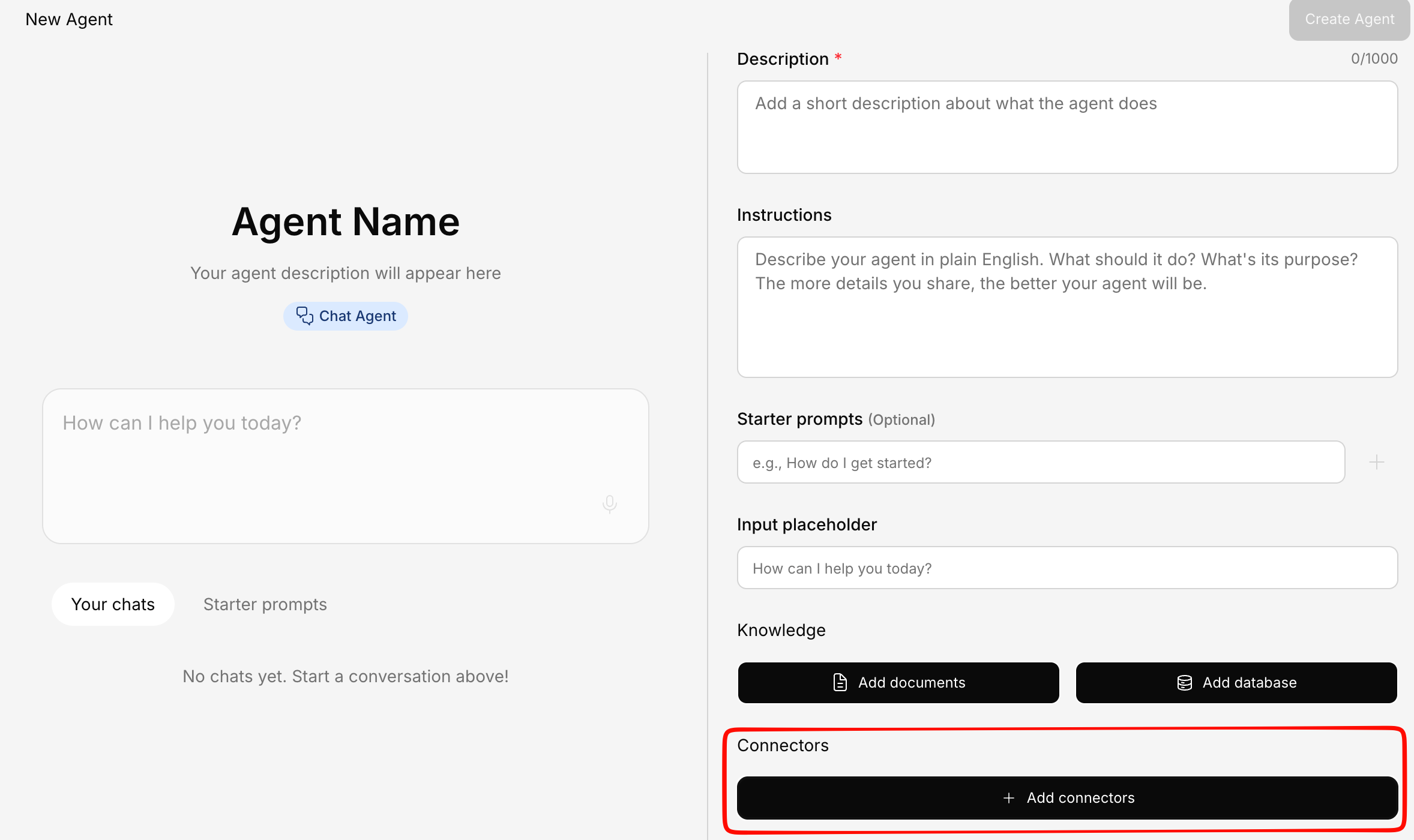
- Knowledge Base search — Search your uploaded documents
- Web search — Search the internet for additional context
- Connectors — Access connected services like Salesforce, Google Drive, etc.
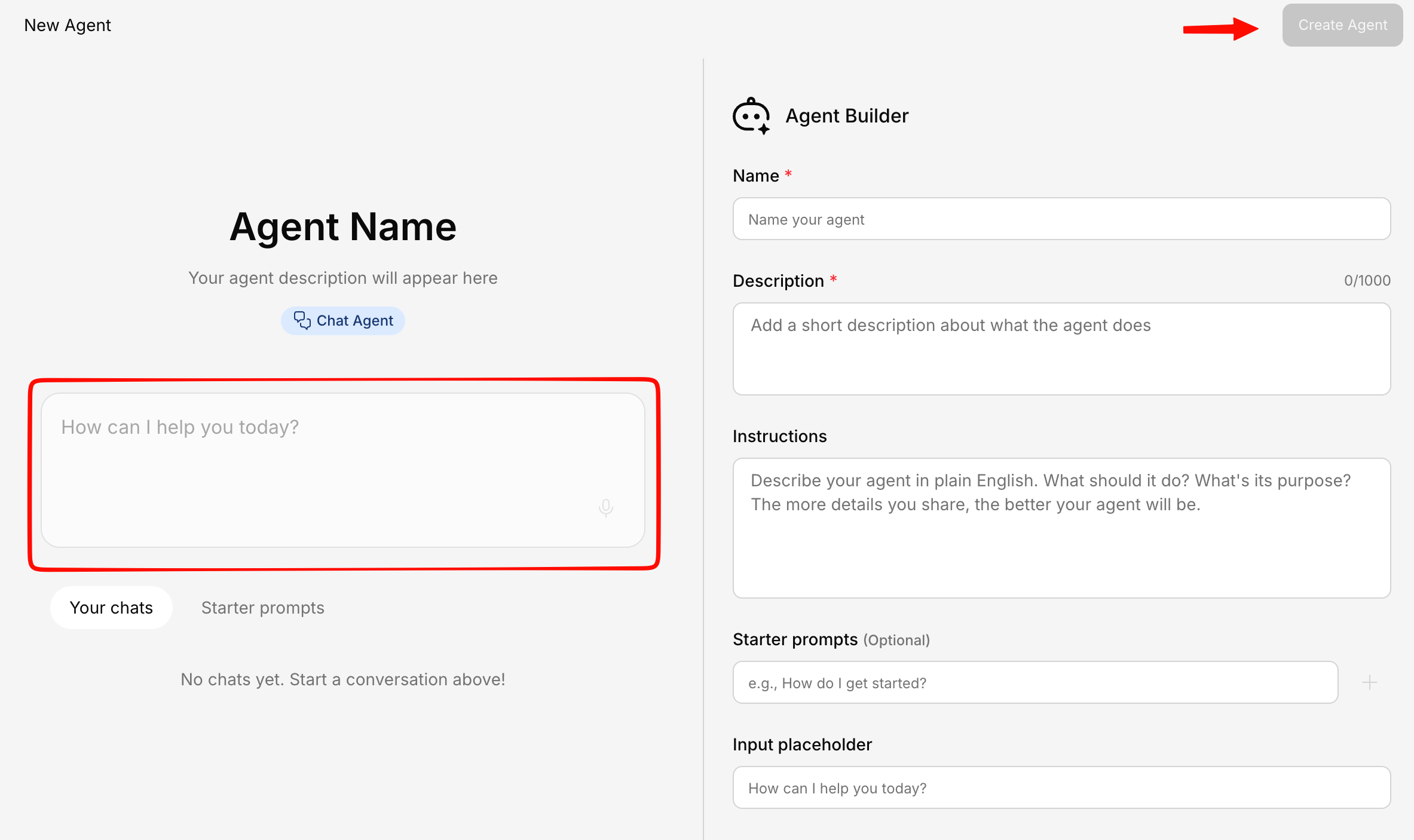
When to Use Quick Mode
Quick Mode is ideal when:- You need an agent fast and don’t need fine-tuned control
- You’re exploring what kind of agents work for your use case
- You want a starting point that you can refine later
Refining a Quick Mode Agent
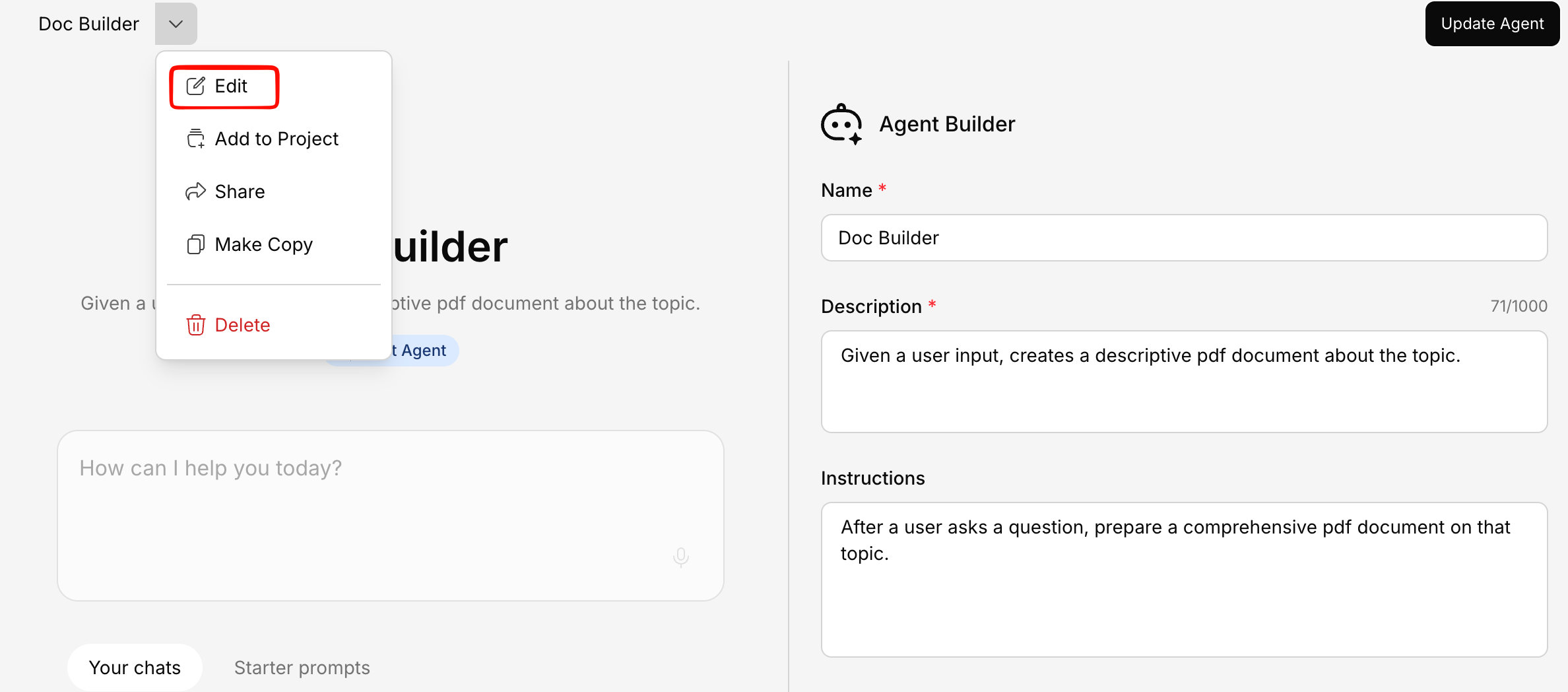
After creating an agent with Quick Mode, you can always:- Edit instructions — Fine-tune the behavior to better match your needs
- Adjust tools — Enable or disable specific capabilities like web search or connectors
- Open in Agent Builder — Switch to the full builder for advanced configuration and detailed customization
Tips for Great Agent Instructions
Be specific about the role
Be specific about the role
Instead of “Help with HR stuff”, write “You are an HR policy expert who answers questions about company benefits, leave policies, and onboarding procedures.”
Define boundaries
Define boundaries
Tell the agent what it should NOT do: “Do not provide legal advice. If asked about legal matters, recommend consulting the legal team.”
Set the tone
Set the tone
Specify how the agent should communicate: “Be professional but approachable. Use simple language and avoid jargon.”
Include examples
Include examples
Show the agent what a good response looks like: “When asked about vacation policy, respond with the number of days, how to request time off, and who to contact for exceptions.”